🎉 Up to 70% Off Selected ItemsShop Sale
$91.23
UGREEN Revodok Pro Docking Station (12-Port, Triple 4K, 100W)—
$91.23
The Story
Previous page
Next page
Previous page
Next page
Previous page
Next page
Previous page
Next page
Notes:
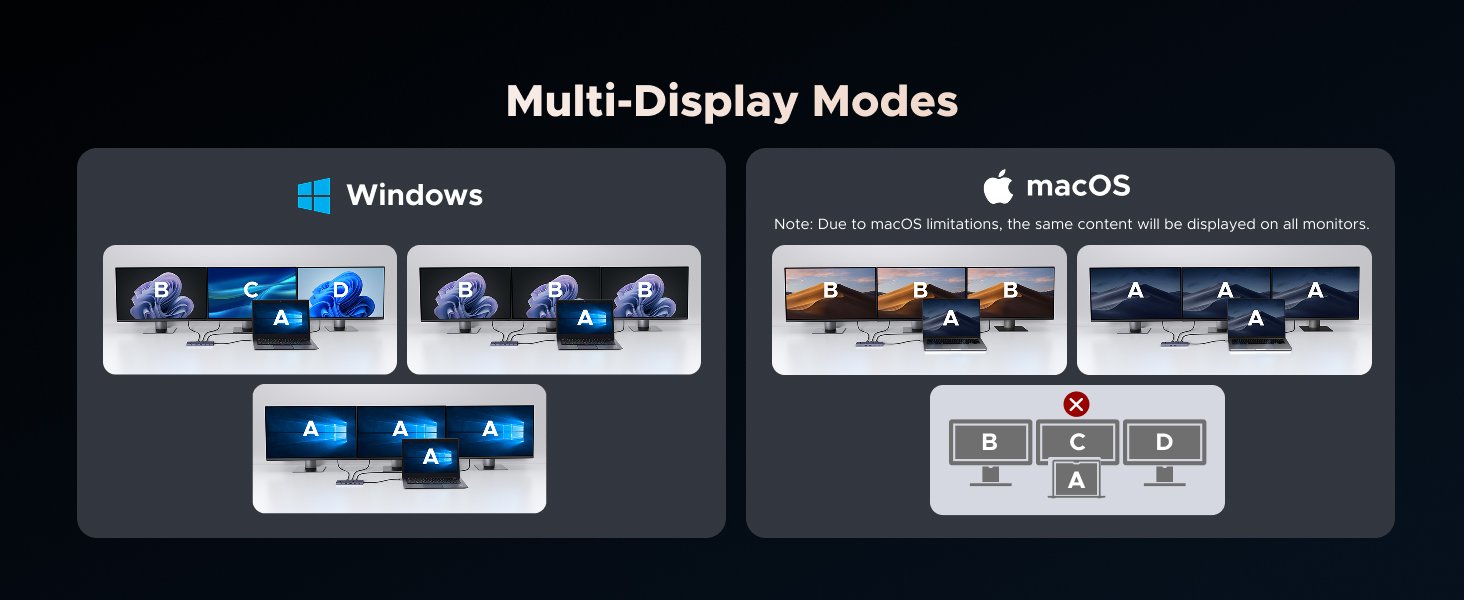
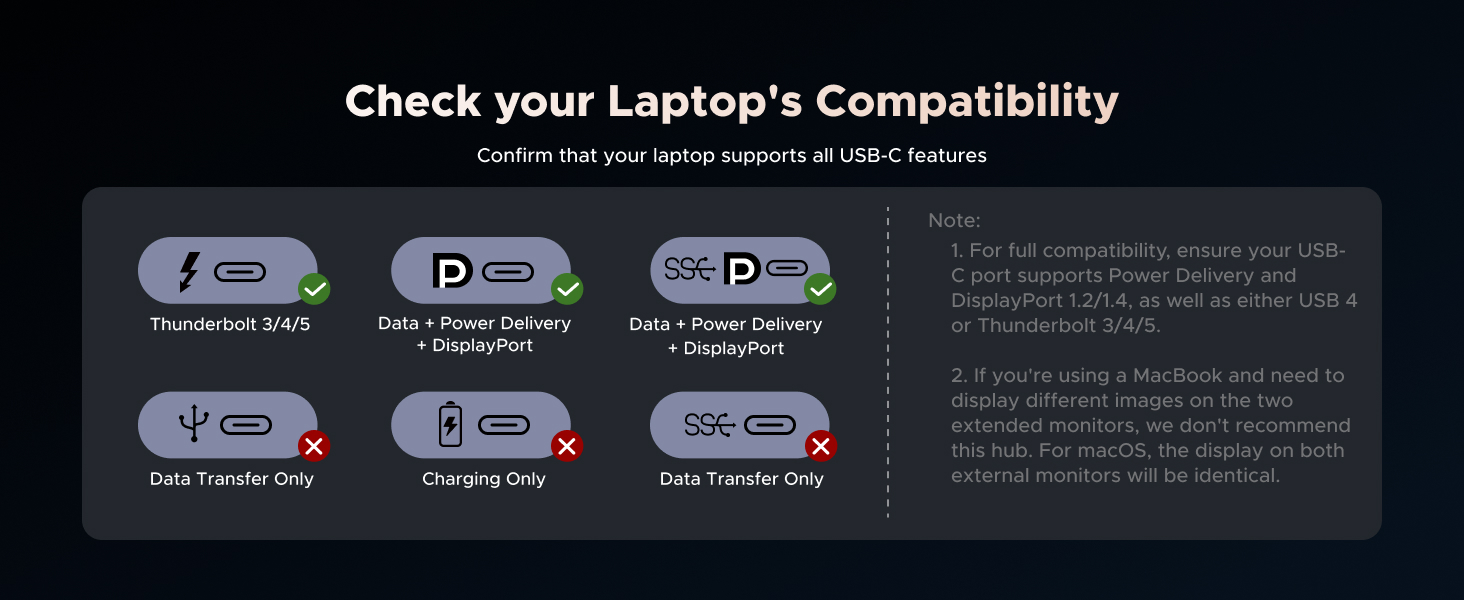
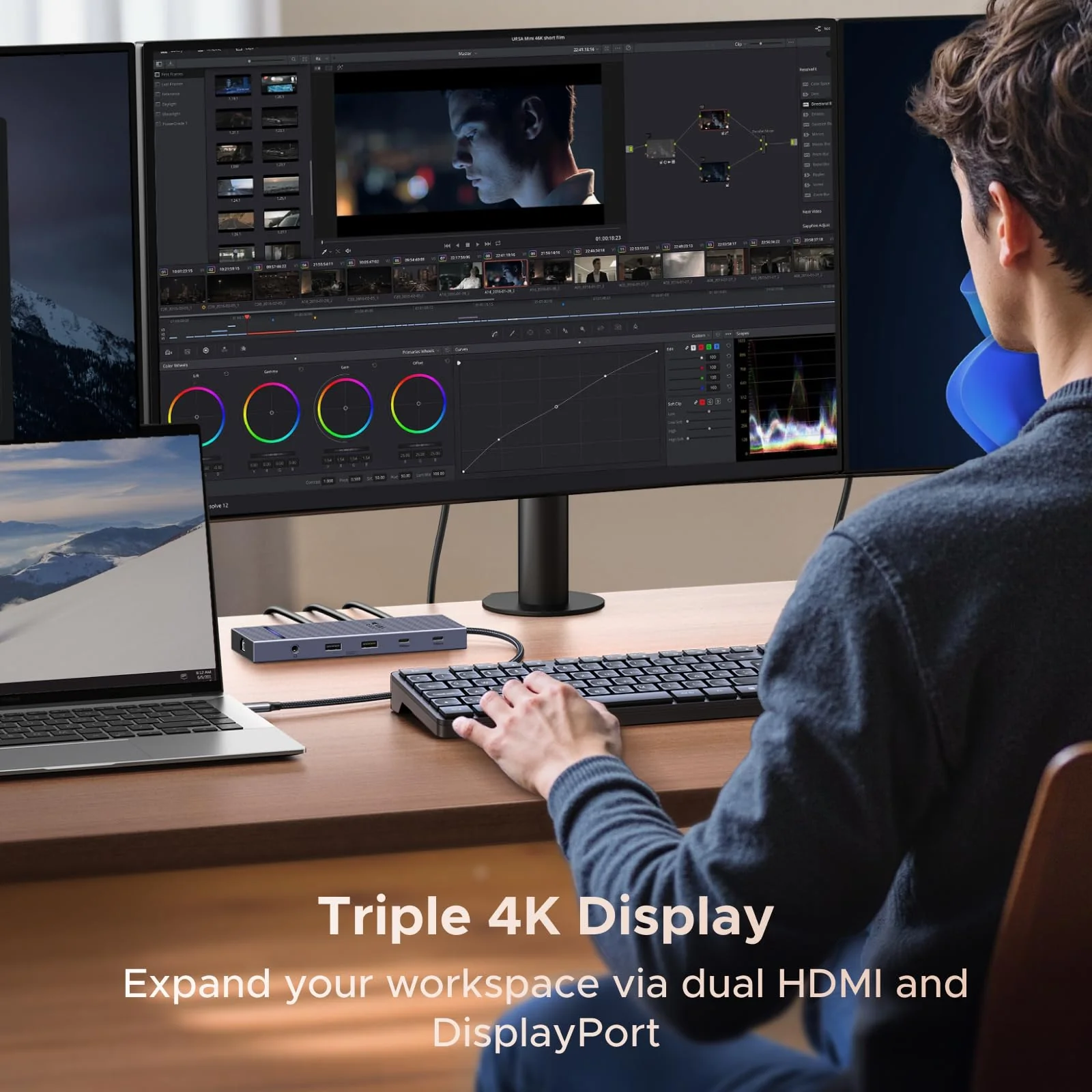
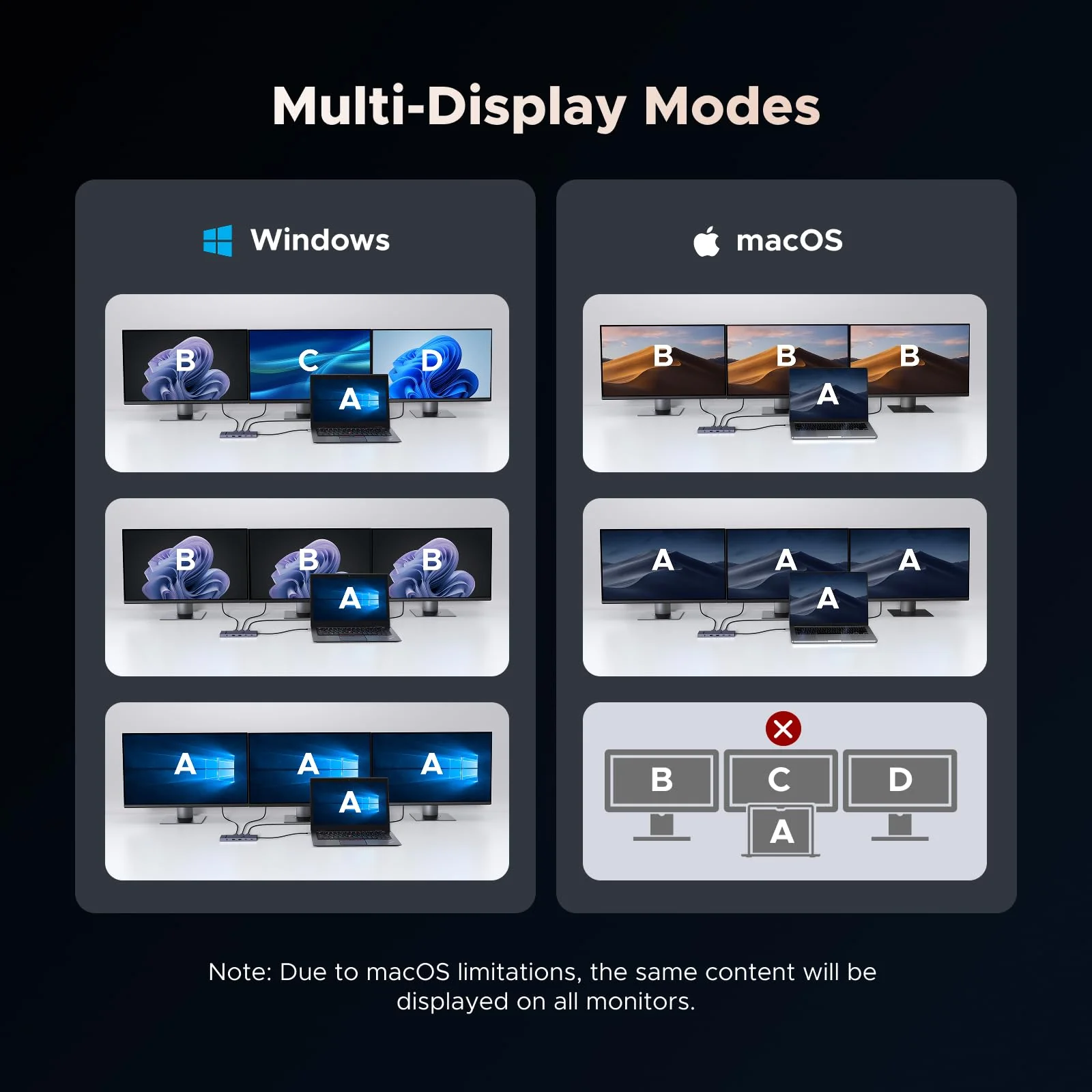
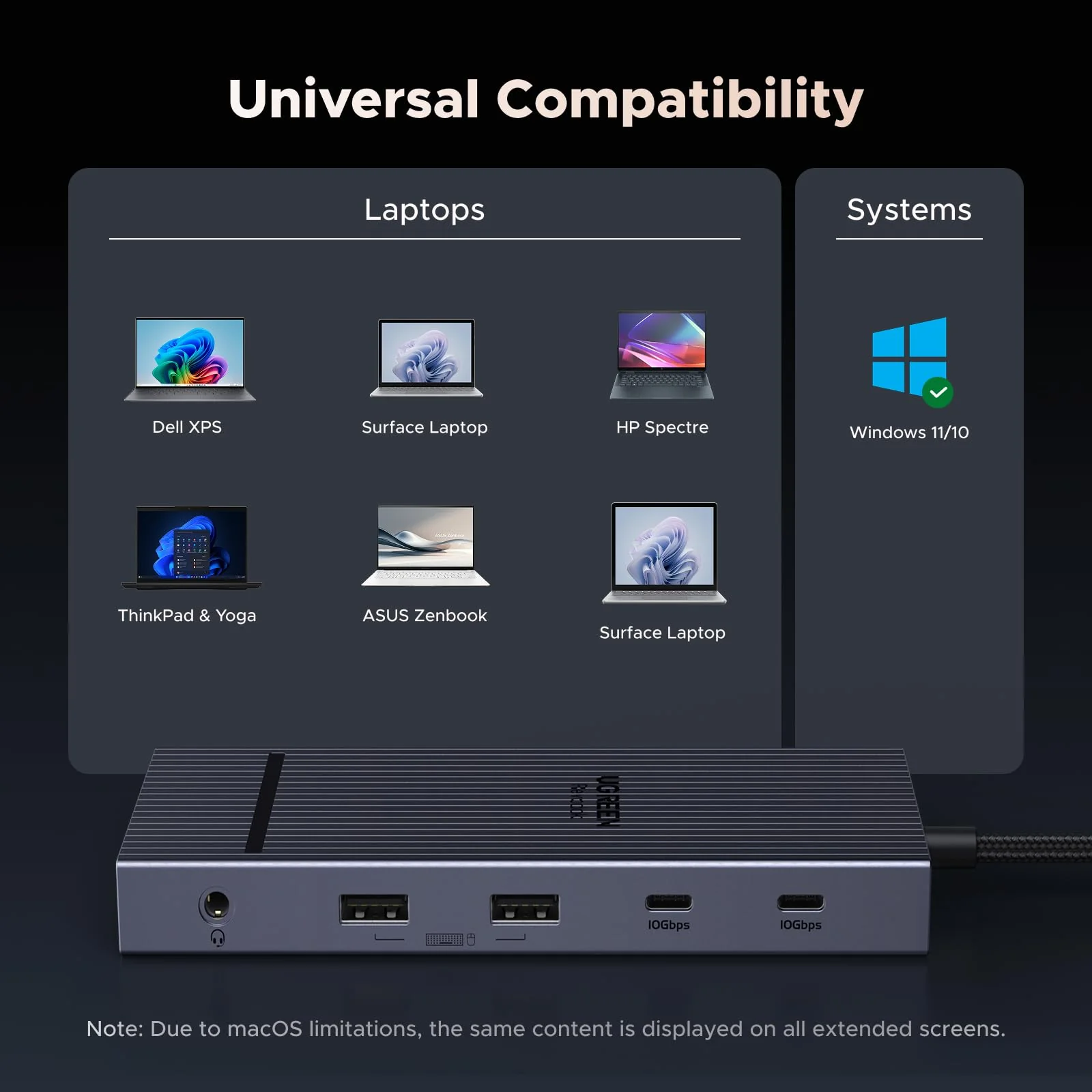
| 1 | If you are using a MacBook and want to connect multiple monitors with different displays, we do not recommend this docking station. For macOS, the displays on all external monitors will be identical. |
| 2 | For full compatibility, ensure your laptop's USB-C port supports both Power Delivery and DisplayPort 1.2/1.4 Alt Mode, in addition to either USB4, Thunderbolt 5/4/3. |
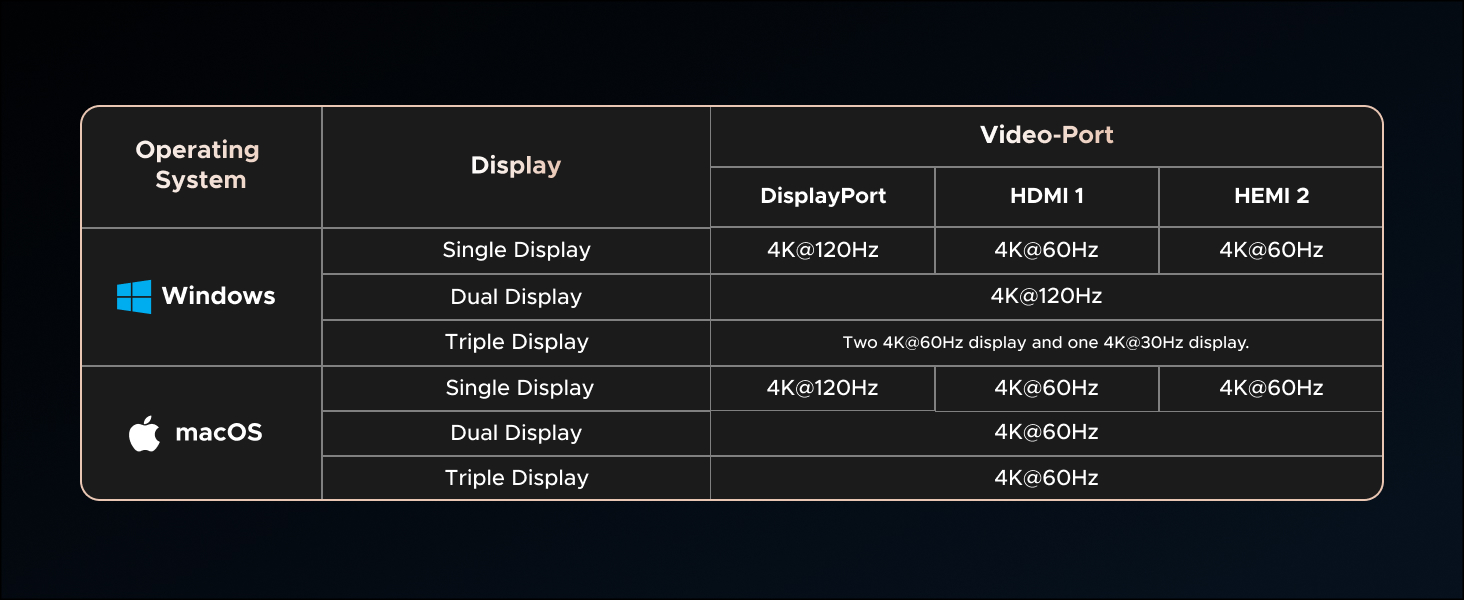
| 3 | Only DisplayPort supports high-refresh-rate monitors. For 4K@120Hz, ensure your laptop’s USB-C port supports DP1.4 with DSC (Display Stream Compression) |
| 4 | To ensure you achieve the described 4K@120Hz display with this dock, use a DisplayPort 1.4 cable no longer than 3 m (28AWG). |
| 5 | DisplayPort not supports VRR function. |
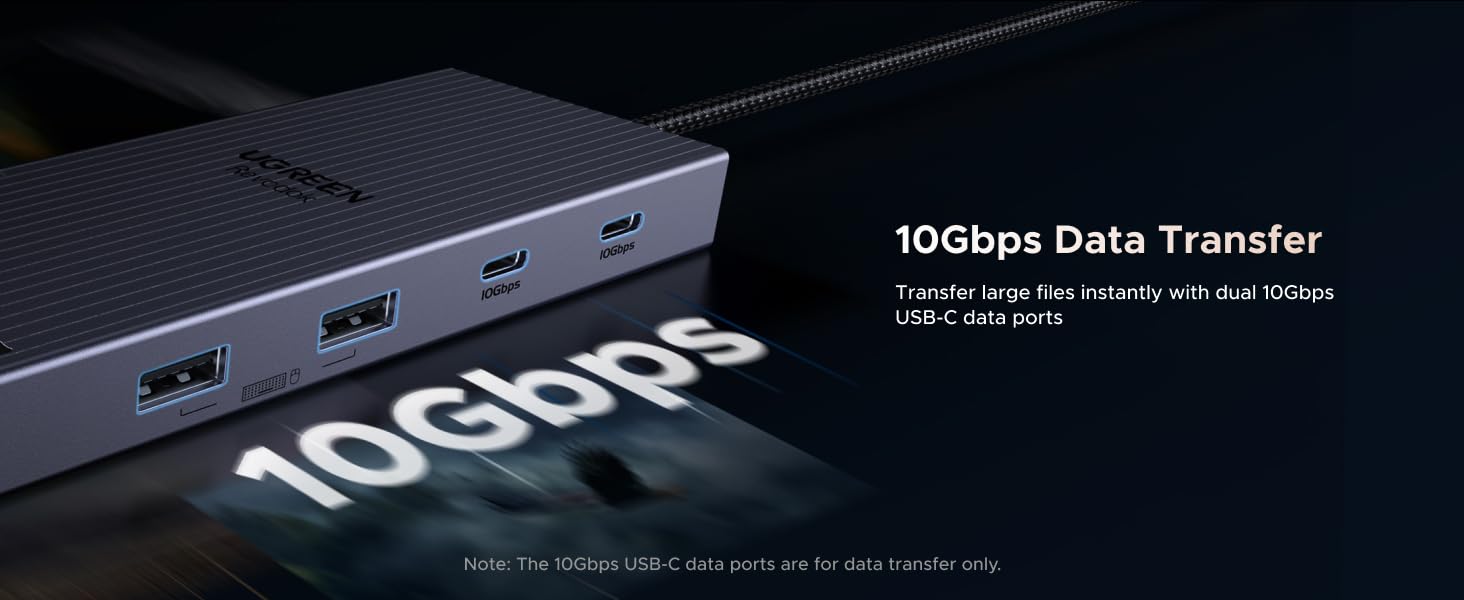
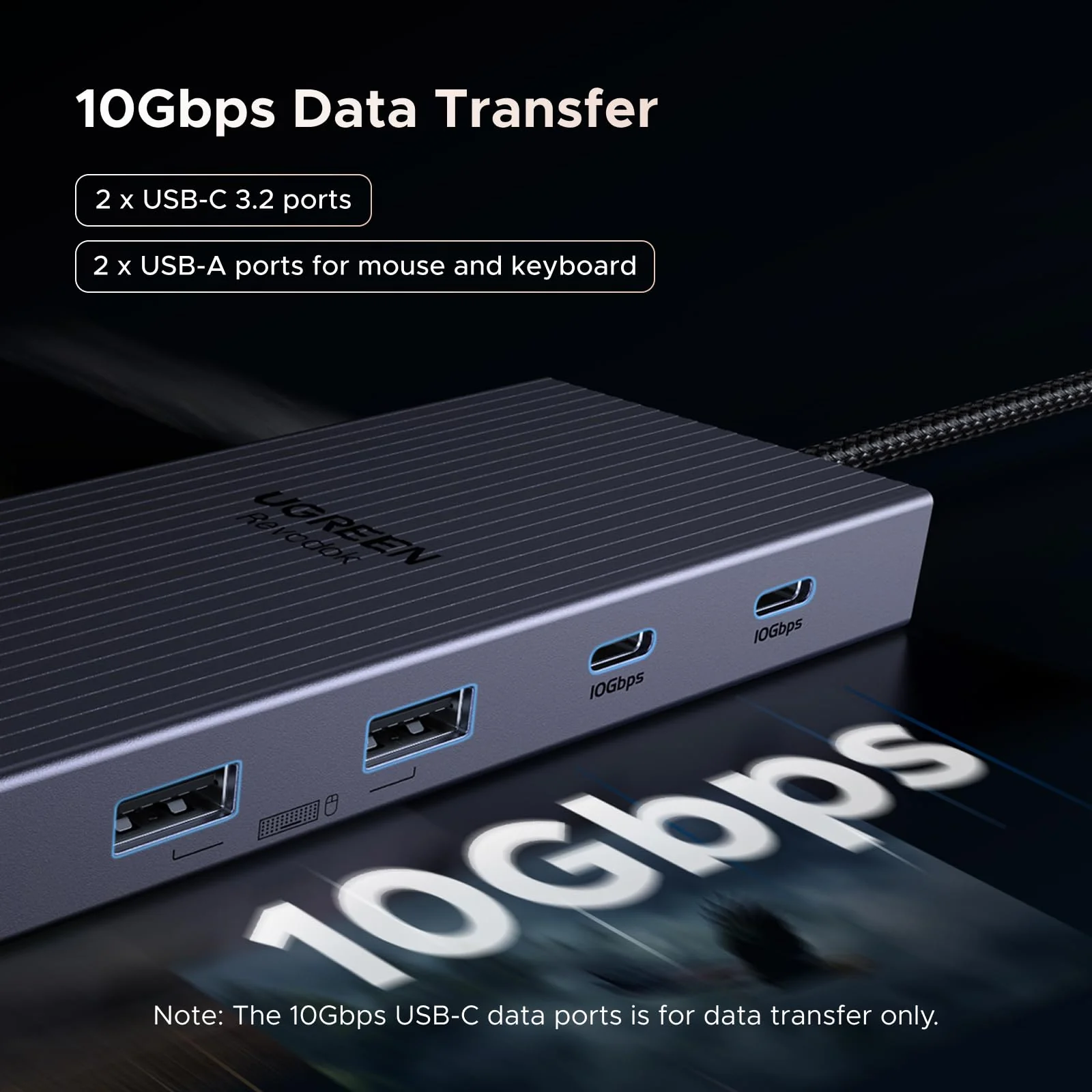
| 6 | The USB-A and USB-C data ports do not support media display or charging. |
| 7 | The USB-C Power Delivery input only supports charging. |
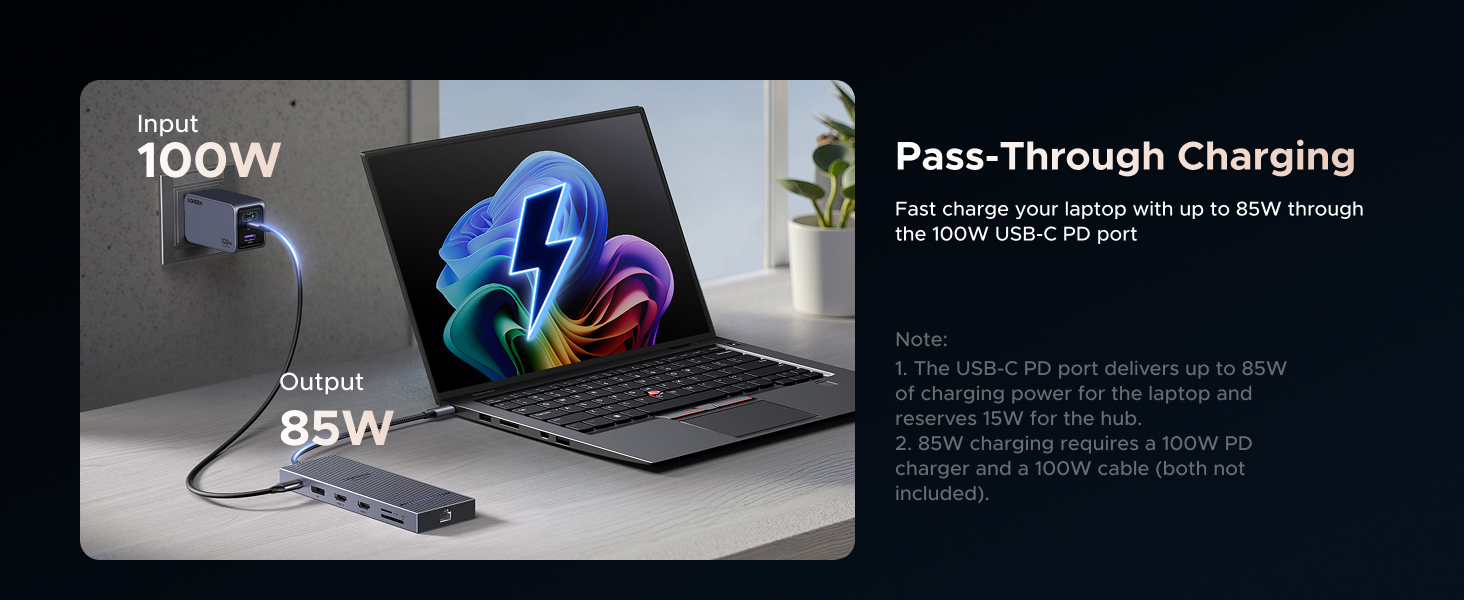
| 8 | When connected to a PD wall charger and a USB-C to USB-C cable, both supporting 100W PD charging, the hub's USB-C PD port provides up to 85W to charge your device, allocating 15W for its own operation. For optimal performance, select a wall charger that is at least 15W more powerful than your device's original charger. |
| 9 | Wall charger and charging cable not included. |
| 10 | This dock is not compatible with laptops with Linux OS, Switch 1/2. |
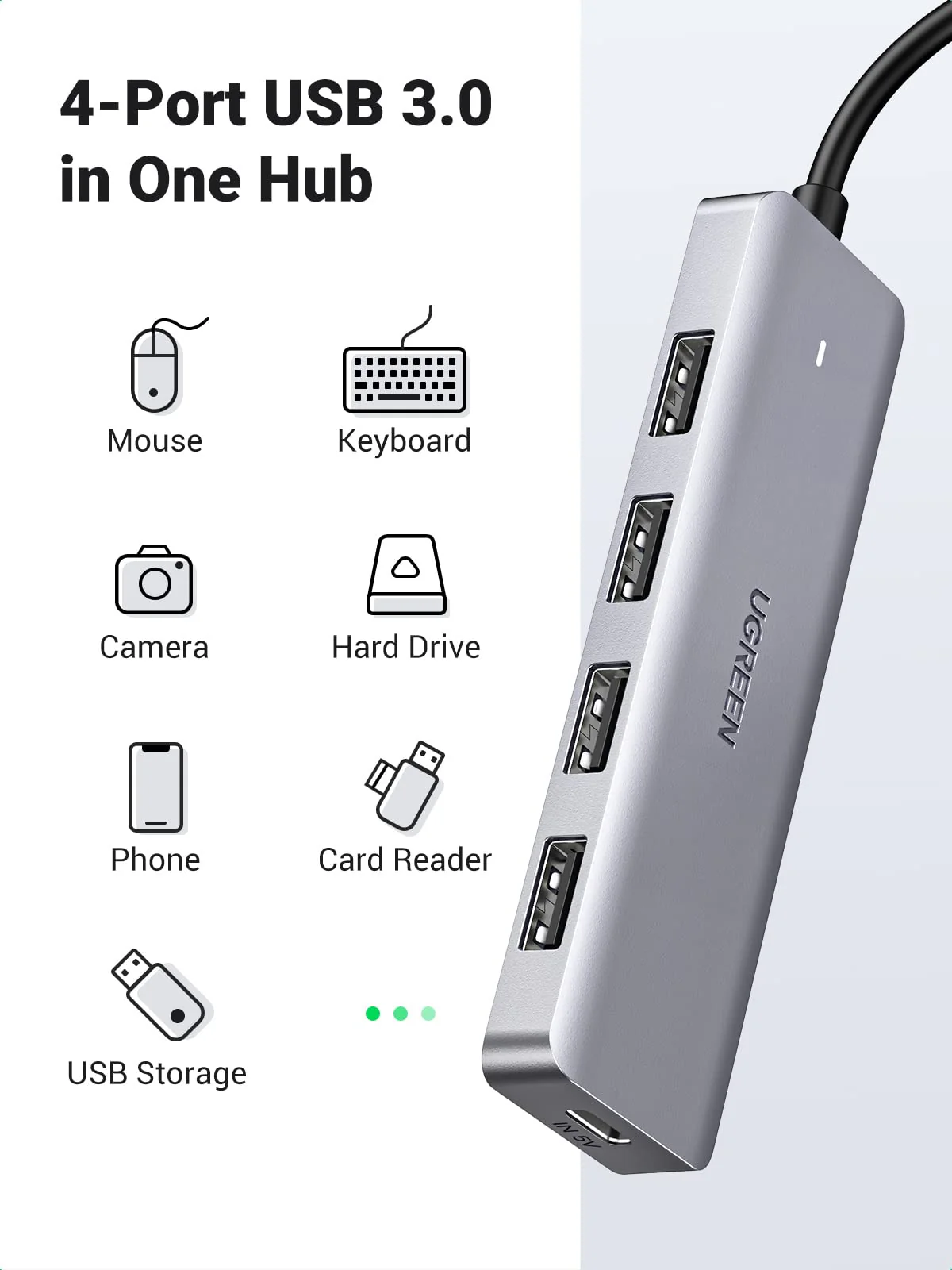
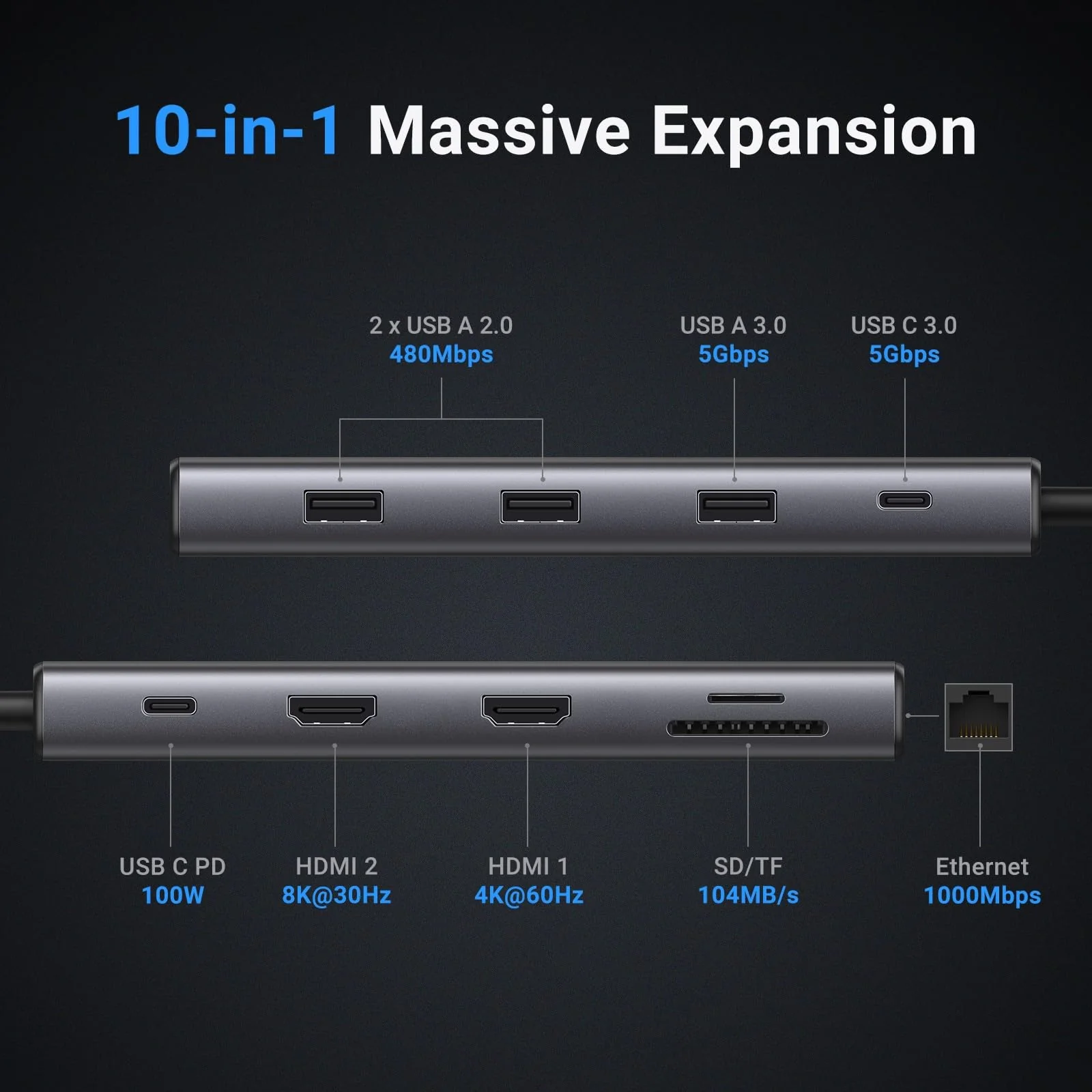
| 11 | 480Mbps USB-A ports can be used with USB drives, keyboards and mice; however, for devices that require high transfer speeds, such as hard drives and solid-state drives, we recommend using the 10Gbps USB-C port. |

Details & Craftsmanship
Every detail has been carefully considered to bring you the perfect product.
Details & Craftsmanship
Every detail has been carefully considered to bring you the perfect product.
Details & Craftsmanship
Every detail has been carefully considered to bring you the perfect product.
Details & Craftsmanship
Every detail has been carefully considered to bring you the perfect product.

Details & Craftsmanship
Every detail has been carefully considered to bring you the perfect product.
Details & Craftsmanship
Every detail has been carefully considered to bring you the perfect product.
Details & Craftsmanship
Every detail has been carefully considered to bring you the perfect product.
Description
Previous page
Next page
Previous page
Next page
Previous page
Next page
Previous page
Next page
Notes:
| 1 | If you are using a MacBook and want to connect multiple monitors with different displays, we do not recommend this docking station. For macOS, the displays on all external monitors will be identical. |
| 2 | For full compatibility, ensure your laptop's USB-C port supports both Power Delivery and DisplayPort 1.2/1.4 Alt Mode, in addition to either USB4, Thunderbolt 5/4/3. |
| 3 | Only DisplayPort supports high-refresh-rate monitors. For 4K@120Hz, ensure your laptop’s USB-C port supports DP1.4 with DSC (Display Stream Compression) |
| 4 | To ensure you achieve the described 4K@120Hz display with this dock, use a DisplayPort 1.4 cable no longer than 3 m (28AWG). |
| 5 | DisplayPort not supports VRR function. |
| 6 | The USB-A and USB-C data ports do not support media display or charging. |
| 7 | The USB-C Power Delivery input only supports charging. |
| 8 | When connected to a PD wall charger and a USB-C to USB-C cable, both supporting 100W PD charging, the hub's USB-C PD port provides up to 85W to charge your device, allocating 15W for its own operation. For optimal performance, select a wall charger that is at least 15W more powerful than your device's original charger. |
| 9 | Wall charger and charging cable not included. |
| 10 | This dock is not compatible with laptops with Linux OS, Switch 1/2. |
| 11 | 480Mbps USB-A ports can be used with USB drives, keyboards and mice; however, for devices that require high transfer speeds, such as hard drives and solid-state drives, we recommend using the 10Gbps USB-C port. |